How to Create and Sell a Printable Baby Planner in Canva: A Step-by-Step Guide


Three in the morning, a new mum is awake with a crying baby, and she cannot remember when the last feed was — or when the last nappy change happened. She is not looking for a course or a gadget. She wants one simple page she can glance at, fill in with one hand, and trust.
That is why a printable baby planner to sell makes such a strong first product. One small set answers one real daily problem for exhausted new parents, and the same file sells again and again. You need no design degree and no parenting experience — just one clear buyer, one baby stage, and pages that work on paper at 3 a.m.
But here is the part most sellers miss: buyers do not pay for pretty pages — they pay for a system they will actually reach for on a sleepless night.
What Is a Printable Baby Planner?
A printable baby planner to sell is a digital PDF set of planning pages that new parents print at home — usually 12 pages covering feeding, sleep, nappy changes, milestones, and records for their baby — sold as a download with a personal-use licence.
Keep the planner to one baby stage, not a whole childhood. A pregnancy tracker, a newborn care log, a feeding and sleep tracker, and a milestone record are enough. A set that tries to plan every week of pregnancy and every month of the first year becomes a binder nobody finishes.
Most buyers are first-time mums in late pregnancy or the first months after birth, so make their routine easy: large writing boxes, clear headings, and lines they can write on with one hand while holding a baby.
Give every page a single job. That one rule puts your planner ahead of most listings a buyer will see.

Step 1: Pick One Parent and One Baby Stage
WHAT: Settle on one buyer and one baby stage before you open Canva — a third-trimester planner is a different product from one for a mum with a three-month-old.
EXACTLY HOW: Pick one buyer shape: a first-time mum in late pregnancy, a new mum with a baby under three months, or a mum tracking her baby’s first year. Then pick one pain that buyer says out loud, such as “I never know when the last feed was”. Search that pain on Etsy and study the top 20 results. If at least three listings have strong reviews and clear preview images, real buyers exist.
EXAMPLE: A title like “Printable Baby Planner for New Mums: Feeding, Sleep & Milestone Tracker” names the buyer, the stage, and the pages in one line. “Beautiful Baby Planner” names nothing, and she scrolls past it.
PRO TIP: Choose a stage you can research properly — if you cannot list ten things that parent does in a day, the niche is too broad.
Step 2: Plan Your 12 Pages Before You Design
WHAT: Write the full page list on paper before you open Canva, so every page earns its place.
EXACTLY HOW: Write all 12 pages in the order a parent uses them: cover, baby profile, pregnancy week tracker, hospital bag checklist, baby’s first week log, feeding log, sleep log, nappy change tracker, vaccination record, milestone tracker, growth chart, and monthly review. Daily pages come first, records sit in the middle, and the review page goes last. The same page-mapping approach works for other planners, such as a printable pet planner.
EXAMPLE: Five sections are enough for the feeding log: the baby’s name, the feed time, breast or bottle, the amount, and a tick box for “done”. Ten sections on one page gets abandoned fast.
PRO TIP: Build the monthly review page first — it tells you which numbers the other pages need to collect.
Step 3: Design the Planner in Canva
WHAT: Build a clean planner in Canva that prints well, with the same fonts, colours, and spacing on every page.
EXACTLY HOW: In Canva, create a custom size of 8.5 by 11 inches (US Letter), portrait orientation. Use one bold font for headings, one plain font for body text, and three soft colours plus black and white. Make write-in text at least 14 points and tick boxes at least a quarter of an inch across, so a pen fits easily. Keep the same header, table style, and margins on every page, and number the pages.
EXAMPLE: Soft sage green, cream, and one warm peach accent look calm in a thumbnail and print well in black and white, while five fonts and a rainbow palette look messy.
PRO TIP: Print one copy at home and fill in a full day by hand. If a box is too small for your pen, it is too small for your buyer.
Step 4: Build the Pages Parents Open Every Day
WHAT: Make the three pages parents open most — the feeding log, the sleep log, and the milestone tracker — genuinely useful, not just decorative.
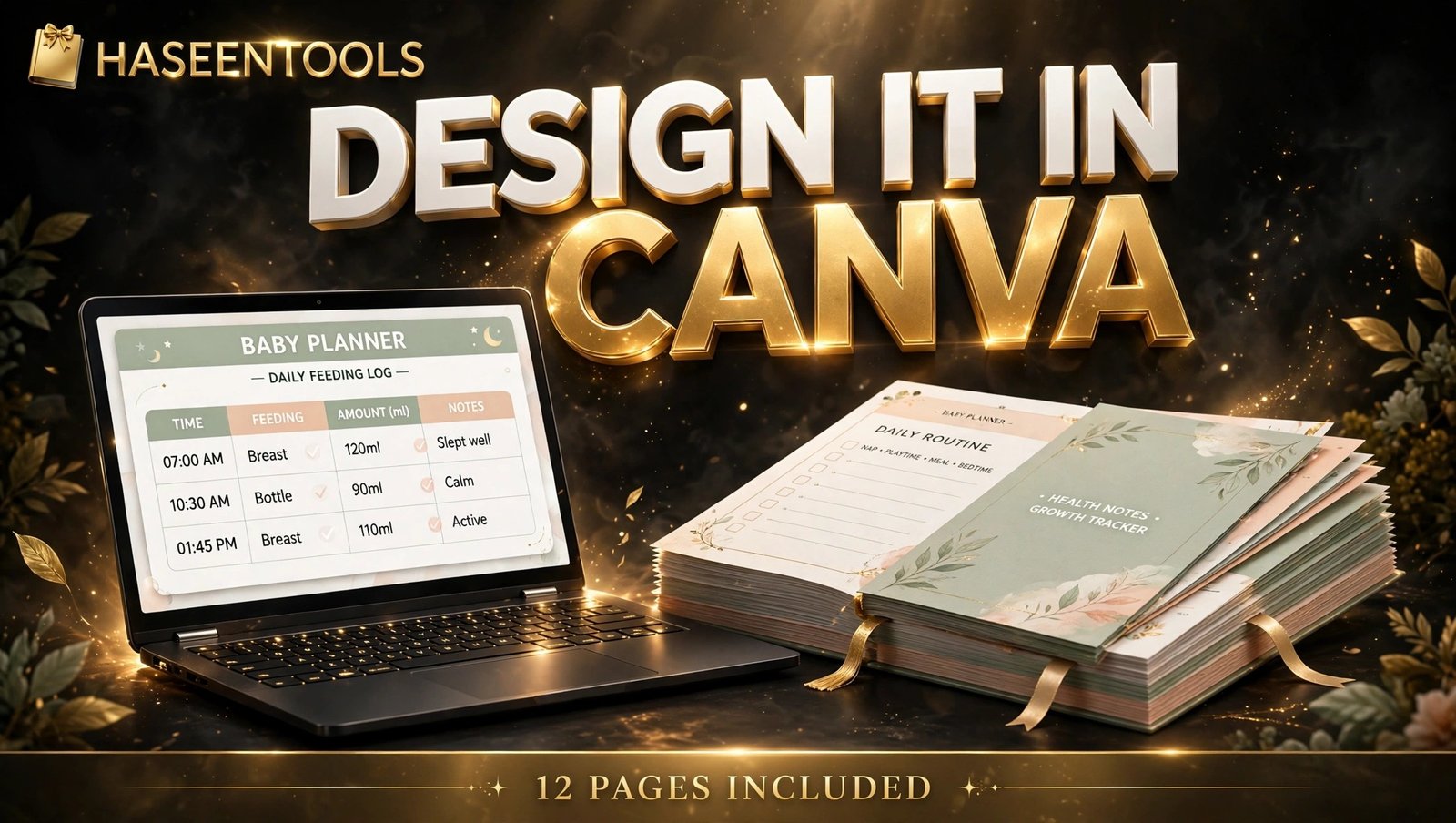
EXACTLY HOW: Build the feeding log with five columns — time, breast or bottle, amount, side, and notes. On the sleep log, add the nap start, the wake time, and the total hours. On the milestone tracker, add the date, the milestone, and a photo-note space. Add an emergency contacts box to the baby profile page: the paediatrician, the nearest hospital, and a trusted family member. The same one-page-one-job logic that makes a printable cleaning schedule work for households works here too.
EXAMPLE: A log showing “Maya — 2 a.m. — bottle — 90 ml — tick” shows a buyer exactly how the page works in real life.
PRO TIP: Keep medical advice off every page — the planner records what the parent did, never what they should do.
Step 5: Price It at $5–$9 and Package the Files
WHAT: Set a price your niche already pays, and package the files so a buyer never needs to ask a question.
EXACTLY HOW: Look at five bestsellers in your niche first. A 12-page printable baby planner typically sells for $5–$9, while a bigger first-year binder sells for $12–$18. Start at $5 or $6 while reviews are few, then add $1 once ten buyers have left a review. Export one print-ready PDF for US Letter and one for A4, add your editable template link, and include a one-page instruction sheet. Name every file clearly — “Baby-Planner-US-Letter.pdf”, for example — and zip the whole set into one download under 20 MB. Add a plain-words licence line: personal use only — no sharing and no reselling the file as it is.
EXAMPLE: A listing titled “Printable Baby Planner | 12-Page Feeding, Sleep & Milestone Tracker | Editable Canva Template” shows the format, size, and tool before she clicks. A title like “Cute baby planner, instant download” says nothing useful.
PRO TIP: Use preview images of the planner filled in for a full day — never blank pages. Buyers pay for the finished result they can picture using, not an empty grid.

Step 6: List It and Market It to New Parents
WHAT: Put your printable baby planner to sell on Etsy and in your own shop, then bring its first traffic from Pinterest the same week.
EXACTLY HOW: List the PDF on Etsy first, then add the same product to your own shop, where you keep more of each sale. Publish on a Tuesday or Wednesday morning, the days planners tend to get the most views. On launch day, pin the filled-in feeding log on Pinterest with a keyword-rich title like “Printable baby planner for new mums — 12 pages”. Create three promo pieces: one Pinterest image, one short video of the feeding log being filled in, and one post answering “how do I track my newborn’s feeds?” For two weeks, watch which search terms bring clicks; if views are high but sales are low, fix the price or the first preview image.
EXAMPLE: One seller kept getting asked “Does this work for twins?” — adding “works for twins too” to the title lifted sales within a fortnight.
PRO TIP: Once the first planner sells, make your second listing in the same baby niche. A matching baby milestone card will outsell ten unrelated planners.
Single Page, 12-Page Pack, or Full Baby Binder?
Start with the size that matches your buyer, then grow the bundle once reviews arrive.
| Planner type | Pages | Typical price | Best for |
|---|---|---|---|
| Single-page baby care sheet | 1 page | $2–$4 | A buyer who wants one fridge page |
| 12-page baby planner | 12 pages | $5–$9 | Most buyers — feeding, sleep and milestones in one set |
| Full first-year binder | 20+ pages | $10–$15 | Parents who want everything in one binder |
A 12-page planner is the right size for a first product: enough pages to feel like real value, few enough to finish in a weekend.
Common Mistakes to Avoid
- Trying to cover every baby stage at once — one buyer and one stage wins faster.
- Filling pages with decoration and leaving no writing space.
- Using tiny fonts and cramped columns — anything under 11 points fails on paper.
- Putting medical advice on the pages — it breaks buyer trust and marketplace rules.
- Skipping the test print — one page that cuts off at the margin is the most common reason for a refund.
Quick Checklist
- Buyer and baby stage written in one sentence
- 12-page list in parent order, review page built first
- Canva file in US Letter size, two fonts, three colours, write-in text at 14 points
- Feeding log with time, breast or bottle, amount, side, and notes columns
- Sleep log with nap start, wake time, and total hours
- Milestone tracker with date, milestone, and photo note space
- Emergency contacts box on the baby profile page
- Test print filled in by hand for one full day
- Listing live at $5–$9 with a filled-in preview image
- Live on Etsy and in your own shop
Frequently Asked Questions
Do I need Canva Pro to make a printable baby planner?
No. Everything in this guide works on Canva’s free plan — custom sizes, shapes, tables, and PDF export. Canva Pro only adds Pro elements and Bulk Create.
Can I sell a baby planner on Etsy?
Yes. Baby planners are a common digital product on Etsy. List yours as an instant download, say clearly that it is a printable PDF rather than a physical item, and use a keyword-rich title.
What size should a printable baby planner be?
Design for US Letter (8.5 by 11 inches) and A4 (210 by 297 mm) together, so buyers in the United States and in the UK and Europe can all print it.
Will one planner work for pregnancy and the first year?
It can, but it sells better when it does not try to. A pregnancy planner and a newborn planner serve two different buyers, so build one stage first and add the second as a bundle later.
Conclusion
A printable baby planner to sell does one clear job: it keeps every feed, nap, and milestone in one place a new parent can see, fill in, and repeat. Build it for that parent, keep the pages usable, and price it at $5–$9.
- Choose one buyer and one baby stage before you design anything
- Map all 12 pages in the order parents use them, and design the review page first
- Keep the fonts big, the boxes writable, and medical advice out of the pages
- Price it at $5–$9, lead with a filled-in preview, and pin it on launch day
Write the buyer sentence from Step 1 today, and your 12-page planner can be live by the weekend. Take a look at the Haseen Tools shop for polished product pages to learn from.