How to Create and Sell a Printable Savings Challenge Tracker in Canva: A Step-by-Step Guide


Your savings account has been stuck at the same number for months. Not because you earn too little, but because saving feels boring — until someone turns it into a game. That is why a printable savings challenge tracker sells: it turns saving money into a game with boxes to tick and a finish line you can see. In this guide, you will learn how to create and sell a printable savings challenge tracker in Canva, from picking the right challenge to listing a 10-challenge set for $5–$9.
What Is a Printable Savings Challenge Tracker?
A printable savings challenge tracker is a PDF that turns saving money into a visual game. Each page has a grid, a row of envelopes, or a set of boxes — colour in one box every time you save a set amount. Visible progress keeps people going.
Featured-snippet answer: A printable savings challenge tracker is a PDF worksheet that turns saving into a game: colour in a box or envelope as you save. Design it in Canva, export it as a PDF, and sell it on Etsy or your shop for $5–$9 as a 10-challenge set.
Buyers love these trackers because they are simple, cheap, and fun. A 52-week challenge needs no app and no subscription — just a printed page on the fridge and a pen. That simplicity is your selling point.

Step 1: Pick the Challenge Your Buyer Actually Wants to Finish
What to do: Choose one hero challenge and build your set around it — do not cram every money idea into one product.
Exactly how: Open Etsy and search “savings challenge printable”. Look at the bestsellers and write down which challenges appear again and again: the 52-week challenge, the 100-envelope challenge, the 30-day challenge, and the no-spend month. Pick the one with the clearest finish line. A first-time saver wants the 52-week challenge because it starts at $1. A couple saving for a holiday wants the 100-envelope challenge because it ends at $5,050.
Example: Your hero challenge is the 52-week challenge. Week 1 you save $1, week 2 you save $2, and by week 52 you save $52 — $1,378 by the end of the year. Put that number on your listing: “Save $1,378 in one year, one week at a time.”
Pro Tip: One challenge, one buyer, one promise. A tracker that tries to help everyone helps no one.
Step 2: Plan Your 10-Challenge Set
What to do: Map out exactly 10 challenges before you open Canva, so every page has a job.
Exactly how: List 10 challenges that cover different goals and budgets: 52-week challenge, 100-envelope challenge, 30-day $500 challenge, no-spend month, $5-a-week challenge, holiday fund, emergency fund starter, payday challenge, coin jar challenge, and a blank “design your own” tracker. Give each one a different total and time frame, so a buyer who finishes one has a reason to start the next.
Example: Your set totals tell the story: $1,378 from the 52-week challenge, $5,050 from the 100-envelope challenge, $500 from the 30-day challenge, and $260 from the $5-a-week challenge. A buyer sees the value of the whole set in one glance.
Pro Tip: Keep the set to 10 challenges. Ten feels generous without overwhelming, and it fits neatly on one listing image.
Step 3: Design It in Canva
What to do: Build every tracker page in Canva on US Letter size, with big boxes, clear numbers, and room for a pen.
Exactly how: Open Canva, click “Create a design”, choose “Custom size”, and enter 8.5 x 11 inches. Set your margins first: keep every box at least half an inch from the edge so home printers do not cut anything off. Use one font for headings and one for numbers, and keep the numbers large — at least 14 points — because a tracker you cannot read at arm’s length is useless. Add a “total saved” box at the bottom of each page. Use Canva’s free elements only, or your own shapes, so the file stays sellable as a PDF.
Example: For the 100-envelope page, draw a grid of 100 numbered boxes, 10 across and 10 down. Colour the first three as a sample, then leave the rest blank. Add a line at the top: “Colour one envelope each time you save. Finish all 100 and you have saved $5,050.”
Pro Tip: Design in black and white first, then add colour. If it works without colour, it prints beautifully on any home printer.

Step 4: Test-Print and Fix the Tracker
What to do: Print every page at home before you list anything, and fix what the screen hides.
Exactly how: Export as PDF Print, then print one copy on your own printer. Check three things on each page: do the boxes line up, are the numbers readable from a normal reading distance, and does anything sit too close to the edge? Fill in a few boxes with a pen — if the boxes are too small to colour, widen them. Ask a friend to follow the instructions on the page with no help from you; if they hesitate, rewrite the instructions.
Example: Your first print shows the 52-week grid is too tight: weeks 43 to 52 crowd together at the bottom. Split the grid into two columns of 26 weeks, and every box has room for a tick. That one fix is the difference between a five-star review and a refund request.
Pro Tip: Print in draft mode first. It costs less ink, and you will print three or four test versions.
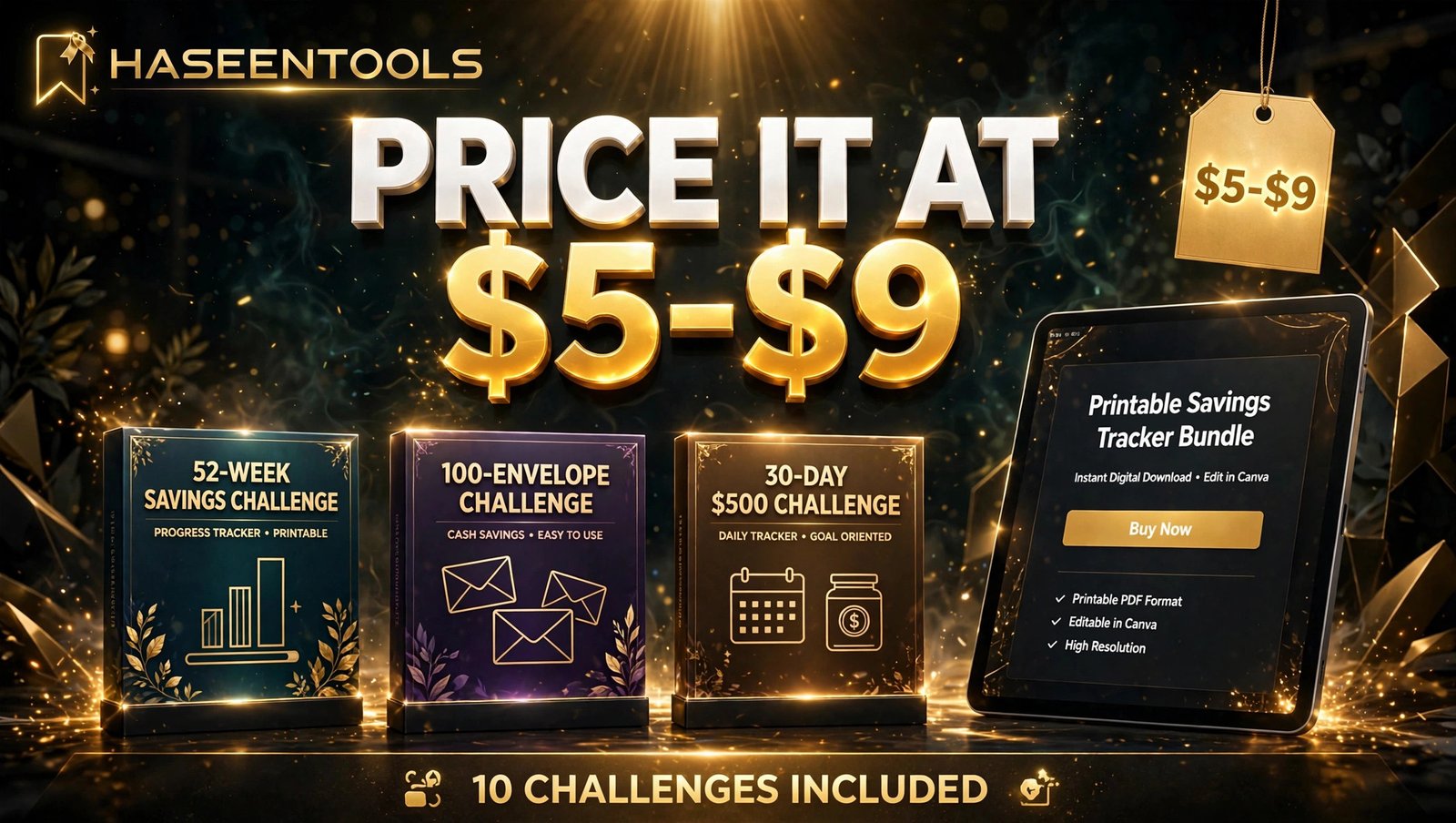
Step 5: Price It at $5–$9 and Package the Files
What to do: Price your 10-challenge set at $5–$9 and package it as a clean PDF with a simple licence.
Exactly how: Create one PDF with all 10 challenges, plus a one-page cover listing what is inside. Name the file clearly, for example “Savings-Challenge-Tracker-10-Challenges.pdf”. Add a short licence page: the buyer may print the tracker for personal use as often as they like, but may not resell or share the file. Price the set at $7 if you are starting out: low enough for an impulse buy, high enough to look like a real product. On Etsy, the listing and transaction fees come out of that price, so $5 is your floor.
Example: A buyer pays $7, downloads the PDF in under a minute, and prints the 52-week page the same evening. Your cost after that sale is zero — the same file sells again and again.
Pro Tip: Never promise a buyer they will save a specific amount. The tracker helps them save; their own choices decide the total.
Step 6: List It and Get the First Sales
What to do: List the tracker where buyers already search, with mockup photos that show the product in use.
Exactly how: On Etsy, use all 13 tags, and start with the words buyers type: “savings challenge printable”, “52 week savings challenge”, “money saving tracker“, “printable savings tracker”, and “savings challenge pdf”. Open your description with the promise: “Save $1,378 in 52 weeks with this printable savings challenge tracker — 10 challenges, print at home, start today.” Make your first listing photo a flat-lay of the printed tracker with a pen and a few coins beside it, so buyers see a real page, not a screen. Then pin that photo on Pinterest with the same promise in the pin title, and link it to your Etsy listing or your own shop.
Example: List on Etsy on Monday, publish three Pinterest pins by Wednesday. By Sunday, the pin has sent 40 people to the listing, and two of them buy. That is the pattern: list once, pin often.
Pro Tip: Your first 10 sales matter more than your first 10 listings. Ask every early buyer for a review — one honest review lifts a new listing more than any keyword trick.
Savings Challenge Trackers Compared
| Challenge | Time to finish | Total saved | Best for |
|---|---|---|---|
| 52-week challenge | 52 weeks | $1,378 | First-time savers |
| 100-envelope challenge | 100 saves | $5,050 | Couples and big goals |
| 30-day $500 challenge | 30 days | $500 | Quick wins and gifts |
| No-spend month | 1 month | Varies | Cutting impulse spending |
A buyer who finishes the 30-day challenge often comes back for the 52-week one — the quick win leads to the long game.
Common Mistakes to Avoid
- Tiny boxes. If a box is smaller than a fingertip, nobody will colour it in. Keep boxes at least half an inch wide.
- No total on the page. A tracker without a “total saved” number feels pointless — print the total on every page.
- Copying another seller’s layout. Canva templates are fine as a starting point, but a layout copied box-for-box is not your product. Change the structure, wording, and style until it is yours.
- Forgetting the licence. A tracker with no licence page invites confusion — one short paragraph on personal use protects you and reassures the buyer.
- Pricing at $1 to “get sales”. A $1 tracker attracts bargain hunters who never leave reviews. Price it like a real product: $5 to $9.
Quick Checklist
- Hero challenge chosen with a clear finish line and total
- 10 challenges planned, each with a different goal and total
- All pages designed on US Letter size in Canva
- Every page test-printed and filled in with a pen
- PDF packaged with a cover page and a personal-use licence
- Priced at $5–$9 and listed with 13 Etsy tags
- First listing photo shows the printed tracker in use
- Pinterest pins published and linked to the listing
Frequently Asked Questions
How much can you save with a 52-week savings challenge?
You save $1,378 in 52 weeks: $1 in week 1, $2 in week 2, adding one dollar each week until week 52, when you save $52. The challenge works because the early weeks are so small that anyone can start.
What is the 100-envelope savings challenge?
You label 100 envelopes from $1 to $100, pick one at random, and put that amount of cash inside. When all 100 are full, you have saved $5,050. A printable version uses 100 numbered boxes to colour in, so it works without handling cash.
Can I sell a savings challenge tracker I made in Canva?
Yes, if you design it yourself. Use Canva’s free elements or your own shapes and text, and sell the finished PDF — never sell a Canva template or element on its own. If your design uses Canva Pro content, sell it only as a Canva template link, not as a PDF.
Do printable savings trackers actually sell on Etsy?
Yes, savings challenge printables sell steadily on Etsy because the product is cheap, visual, and tied to a goal buyers already have. Sales peak in January, when people set money goals, and before holidays, when people save for gifts and travel. A clean design and honest mockups matter more than a low price.
Conclusion
A printable savings challenge tracker is one of the simplest products you can sell: a page, a pen, and a promise. Pick one hero challenge your buyer can finish, build a 10-challenge set around it, design it cleanly in Canva, test-print every page, price it at $5–$9, and list it where buyers already search.
- One hero challenge with a clear finish line sells the whole set
- 10 challenges give buyers a reason to keep going after the first win
- Test-printing catches the tiny boxes and cramped numbers buyers hate
- $5–$9 pricing keeps the tracker an easy impulse buy
Your first tracker does not need to be perfect. It needs to be printed, listed, and pinned. Open Canva today, build the 52-week page, and put your first tracker up for sale this week.