How to Create and Sell a Printable Vision Board Kit in Canva: A Step-by-Step Guide

January is the biggest month of the year for goal-setting products, and most sellers miss it completely. Shoppers start searching for vision board kits in November and December, yet the shops they find offer either a single board page or an app they cannot print. A printable vision board kit to sell fills that gap: pages a buyer prints at home, cuts out, and sticks on her wall the same evening.
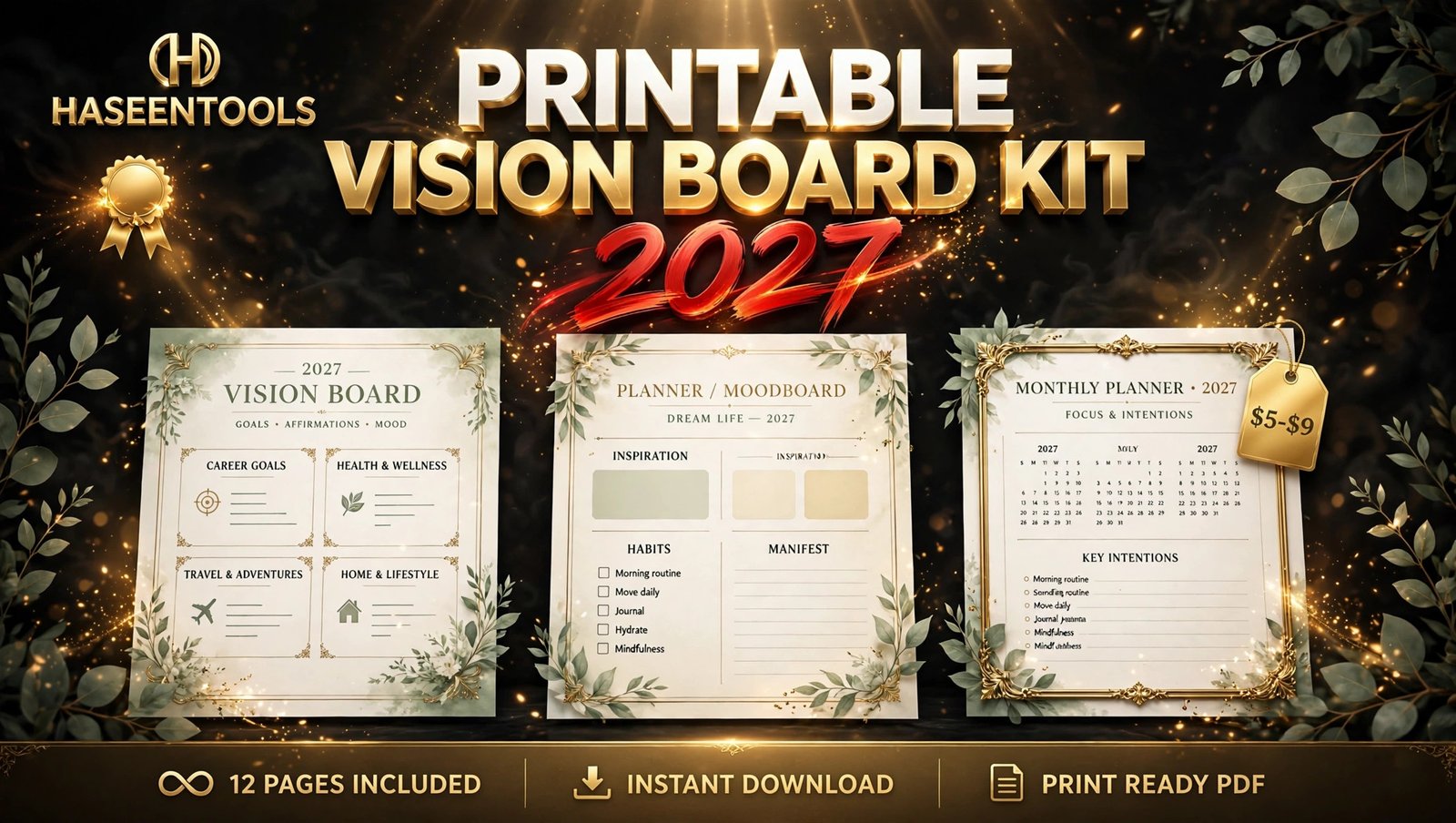
That is your opening. A printable vision board kit is a small product — 12 pages, one PDF, a $5–$9 price tag — but it solves a real problem at exactly the right moment. This guide shows you how to build one in Canva and list it before the New Year rush.
What Is a Printable Vision Board Kit?
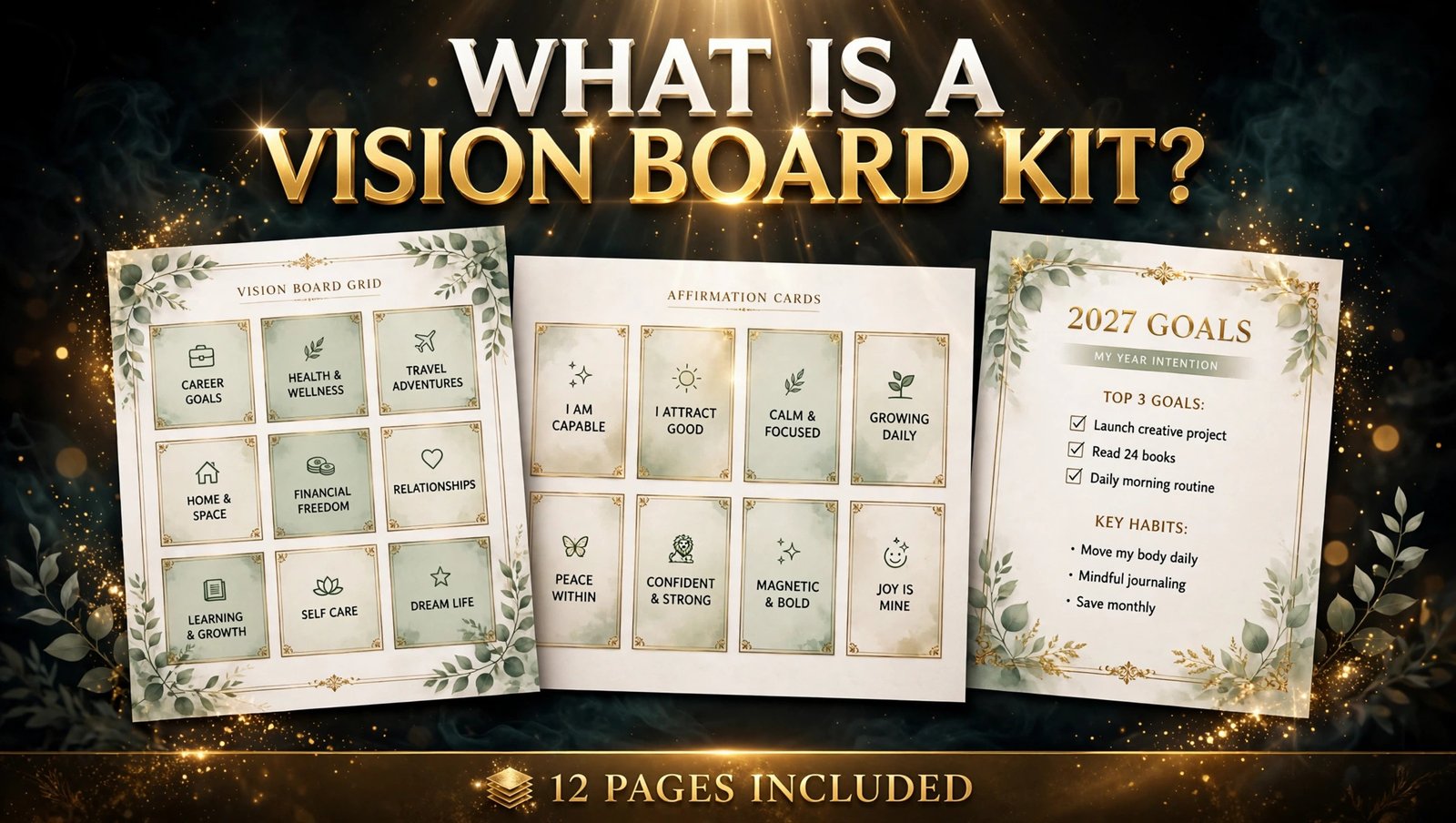
A printable vision board kit is a set of 12 matching pages — a vision board grid, affirmation cards, goal pages, trackers, and reflection pages — that a buyer downloads, prints at home, and uses to build a physical vision board. It sells as one PDF in A4 and US Letter sizes, designed once and sold again and again.
But here is the part most people miss: buyers are not paying for pretty pictures. They are paying for a finished system that saves them an evening of cutting magazines and guessing.
Step 1: Pick Your Kit’s Theme and 12 Pages
Every strong kit starts with one clear theme, because a kit about everything is a kit about nothing. A 2027 fresh-start theme works best right now: new-year energy, clear goals, and buyers already in planning mode. A printable vision board kit to sell needs that focus — every page should serve the same theme.
Your 12 pages could look like this: cover, how-to page, 2027 goals page, vision board grid, eight affirmation cards on one page, monthly focus page, gratitude page, mini habit tracker, milestone tracker, reflection page, blank vision board page, and back cover.
Write the page list down before you open Canva. Sellers who design page by page without a plan end up with 20 mismatched pages and a kit nobody finishes.
Pro Tip: Use one three-colour palette on every page — a kit that looks like one product sells far better than twelve pages that look like twelve different products.
Step 2: Design the Cover and Vision Board Grid in Canva
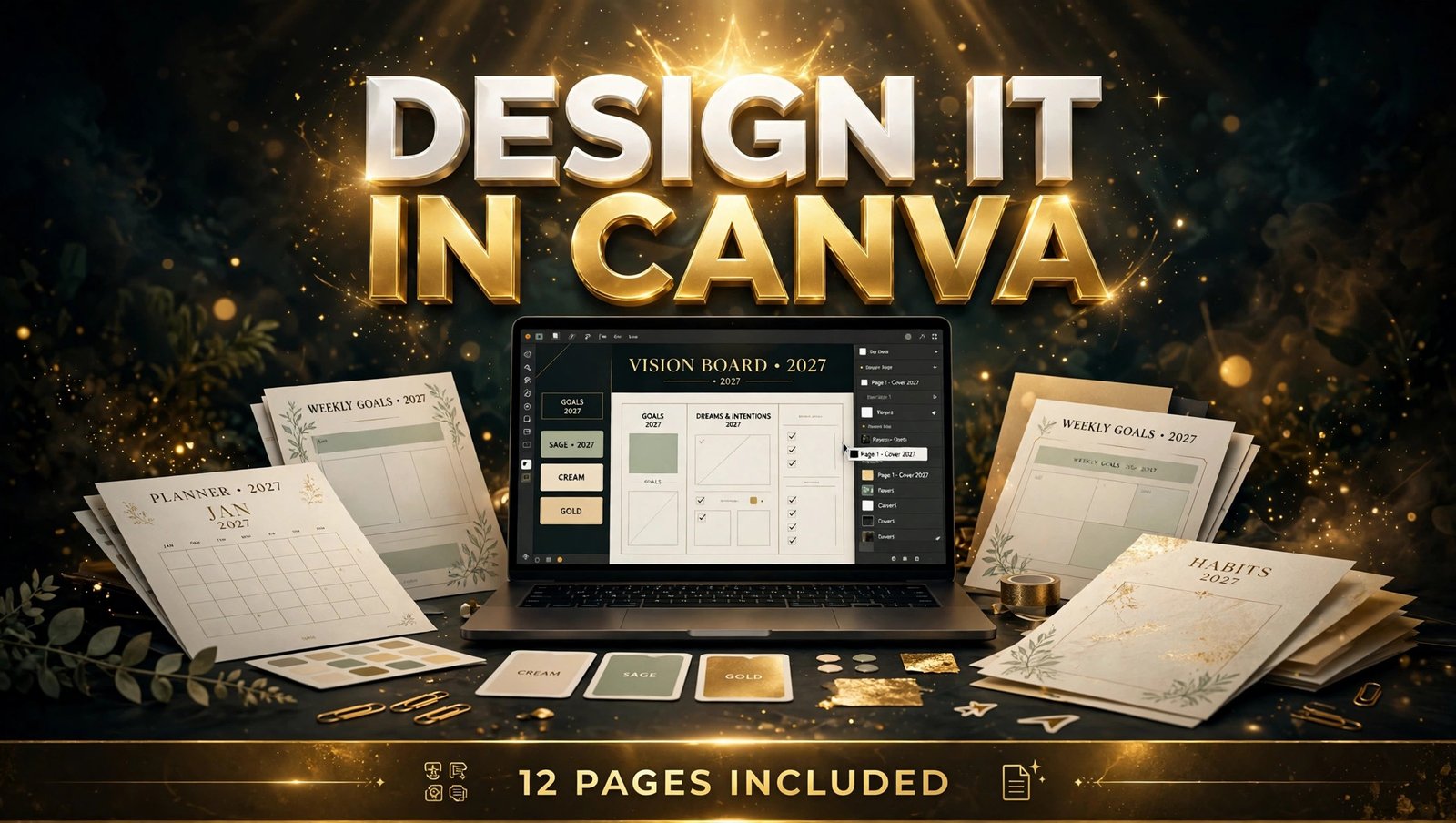
Open Canva and create a custom-size A4 document (210 × 297 mm). Design the cover first, because it is the first image in your listing and the one buyers judge in two seconds.
Put “2027 Vision Board Kit” in large, bold type across the top third, with “12 Pages Included” underneath. Add a small preview of the grid page below the title. Keep the background calm — soft cream or pale sage — so the title stays readable at thumbnail size.
Then build the vision board grid: a page divided into nine equal boxes with thin gold or charcoal lines, one box labelled for each life area — career, money, health, home, travel, learning, relationships, fun, and a free box. Leave the boxes empty — the buyer fills them with her own pictures and words.
Pro Tip: Test-print the grid before you finish the kit. If the lines print too faint or the boxes sit too close to the edge, fix them now — a buyer who wastes paper on a bad print will not come back.
Step 3: Build the Affirmation Cards and Goal Pages
Affirmation cards are the part buyers photograph and share, so make them good. Put eight cards on one page, each about the size of a business card, with one short affirmation each. Write affirmations your buyer would actually say out loud: “I am building a life I love,” “My work pays me well and leaves me time,” “I choose progress over perfection.” Avoid vague lines like “I am blessed” that could belong on any card in any shop. The cards work like the prompt pages in a digital journal in Canva — short, repeatable, and personal.
Next, design the 2027 goals page: four columns (goal, why it matters, first step, target date) and ten rows. Add the monthly focus page beside it: twelve small boxes, one per month, each with a line for one focus word and one small goal.
Common Mistake: Stuffing the kit with 30 pages of filler. Buyers print every page, so a bloated kit costs ink and patience. Twelve focused pages beat thirty loose ones.
Step 4: Add the Tracker, Gratitude and Reflection Pages
A vision board kit earns its price when it helps the buyer follow through, not just dream. That is why the second half of your kit matters as much as the board itself.
Add a mini habit tracker: seven habits down the side, 31 checkboxes across, so one page covers a whole month. Then a milestone tracker with five rows — one per big goal — each with a progress bar the buyer colours in by hand. Finish with a gratitude page (five lines a day) and a reflection page with three prompts: “What worked this month?”, “What do I want more of?”, “What will I stop doing?” The same layout rules apply to a full habit tracker — see our guide to digital habit trackers for the grid, fonts, and sizing buyers actually use.
Keep every tracker simple enough to use with a pen. If a page needs instructions longer than two sentences, simplify it.
Pro Tip: Number your pages lightly in the footer (“Page 3 of 12”) — buyers can keep the printed pages in order, and it signals a complete, professional product.
Step 5: Price It at $5–$9 and Package the Files
Price your 12-page kit at $5–$9 — the range buyers already pay for printable planner packs, and low enough for an impulse buy in December. A first kit at $7 is a safe middle point: high enough to feel valuable, low enough that a buyer does not hesitate.
Package two PDFs in one zip file: one A4, one US Letter, each with all 12 pages. Name them clearly — “Vision-Board-Kit-2027-A4.pdf” and “Vision-Board-Kit-2027-US-Letter.pdf”. Add a one-page README on how to print (100% scale, best quality, plain paper or light card) and the licence (personal use only).
Before you list it, print the full kit yourself once and check every page for cut-off text, faint lines, and spelling errors. One test print catches the mistakes your screen hides.
Pro Tip: Sell the kit as a complete set, not as single pages. Single pages invite price comparisons with free printables; a finished 12-page kit sells on convenience.

Step 6: List It and Launch Before January
List the kit while New Year searches are still climbing — late November or early December is ideal. Title the listing around the exact phrase buyers type: “Printable Vision Board Kit 2027 — 12 Page Manifestation Planner PDF”.
Use your Canva cover as the first listing image, then add four more: the grid page, the affirmation cards, the goals page, and a preview of all 12 pages together. In the description, list every page by name, and state the sizes (A4 + US Letter) and file type (PDF instant download) up top.
Pin the cover image on Pinterest with a keyword-rich title. One listing, launched early, beats five listings launched in mid-January.
Common Mistake: Waiting until January to launch. By then the early sellers have the reviews, the pins, and the search positions. Your kit needs to be live while buyers are still planning.
Printable Kit vs Digital App vs Cork Board
| Option | Cost to buyer | Effort | Best for |
|---|---|---|---|
| Printable vision board kit | $5–$9 once | Print, cut, stick | Buyers who want a physical board tonight |
| Digital vision board app | Free–$10/month | Tap and save | Phone-first users who never print |
| Physical cork board + magazines | $20+ in supplies | Hours of cutting | Craft lovers with a free evening |
A printable kit wins on speed and price: the buyer pays once, prints in ten minutes, and has a board on her wall the same night.
Common Mistakes to Avoid
- Copying magazine-style images into the kit. Hold empty spaces for the buyer’s own pictures — pre-filled stock photos make it your board, not hers.
- Designing only in one paper size. US buyers print Letter, most others print A4. Offer both sizes or you lose half your buyers.
- Forgetting the licence line. State “personal use only” on the README and the listing.
- Pricing at $1–$2 to “get sales”. A tiny price signals a tiny product — at $5–$9 your kit looks like a real planner pack.
- Launching after New Year. Vision board searches peak before January. A December launch catches the planners; a February launch catches nobody.
Quick Checklist
- Theme chosen (2027 fresh start) and 12-page list written down
- Cover designed with “2027 Vision Board Kit” and “12 Pages Included”
- Vision board grid with nine labelled life-area boxes
- Eight affirmation cards with specific, usable wording
- Goals page, focus page, habit tracker, milestone tracker
- Gratitude and reflection pages included
- Test print done — no cut-off text, no faint lines, no spelling errors
- Two PDFs packaged (A4 + US Letter) with a one-page README
- Price set at $5–$9 and listing live before January
Frequently Asked Questions
What is a printable vision board kit?
A printable vision board kit is a downloadable set of 12 matching pages — a vision board grid, affirmation cards, goal pages, trackers, and reflection pages — that a buyer prints at home to build a physical vision board, sold as one PDF in A4 and US Letter sizes.
Can I sell a vision board kit I made in Canva?
Yes. Canva’s free plan is enough to design a 12-page kit, and you can sell the finished PDF on your own website or a marketplace. Design every page yourself, skip Canva stock photos as the kit’s main content, and state “personal use only” in your licence.
How many pages should a vision board kit have?
Twelve pages is the sweet spot: cover, how-to page, grid, affirmation cards, goals page, focus page, gratitude page, habit tracker, milestone tracker, reflection page, blank board page, and back cover. More pages cost the buyer ink and patience; fewer feel incomplete.
How much should I charge for a printable vision board kit?
Charge $5–$9 for a 12-page kit — the range comparable planner packs sell at, and low enough for an impulse buy. Start at $7 if you are unsure, then adjust after your first ten sales.
When is the best time to sell a vision board kit?
Late November and December. Shoppers search while planning their goals, so list yours while searches are climbing. A kit launched in January misses the peak; one launched in February misses the season entirely.
Conclusion
A printable vision board kit to sell is one of the simplest New Year products you can make: 12 pages, one PDF, a $5–$9 price. Pick one clear theme, design a cover that reads at thumbnail size, and test-print the whole kit before you list it.
- Keep it to 12 pages — tight, prints cleanly, feels complete.
- Price it at $5–$9 — fair for the buyer, worth your time.
- Offer A4 and US Letter — one missing size loses half your buyers.
- Launch before January — the searches peak while people are still planning.
Open Canva today, lay out your 12-page list, and design the cover first. Your 2027 vision board kit could be live before the weekend — selling while the New Year rush is still building. Browse the Haseen Tools shop for templates that speed up your next product.